SMSTunnel for WooCommerce
Order SMS Notifications
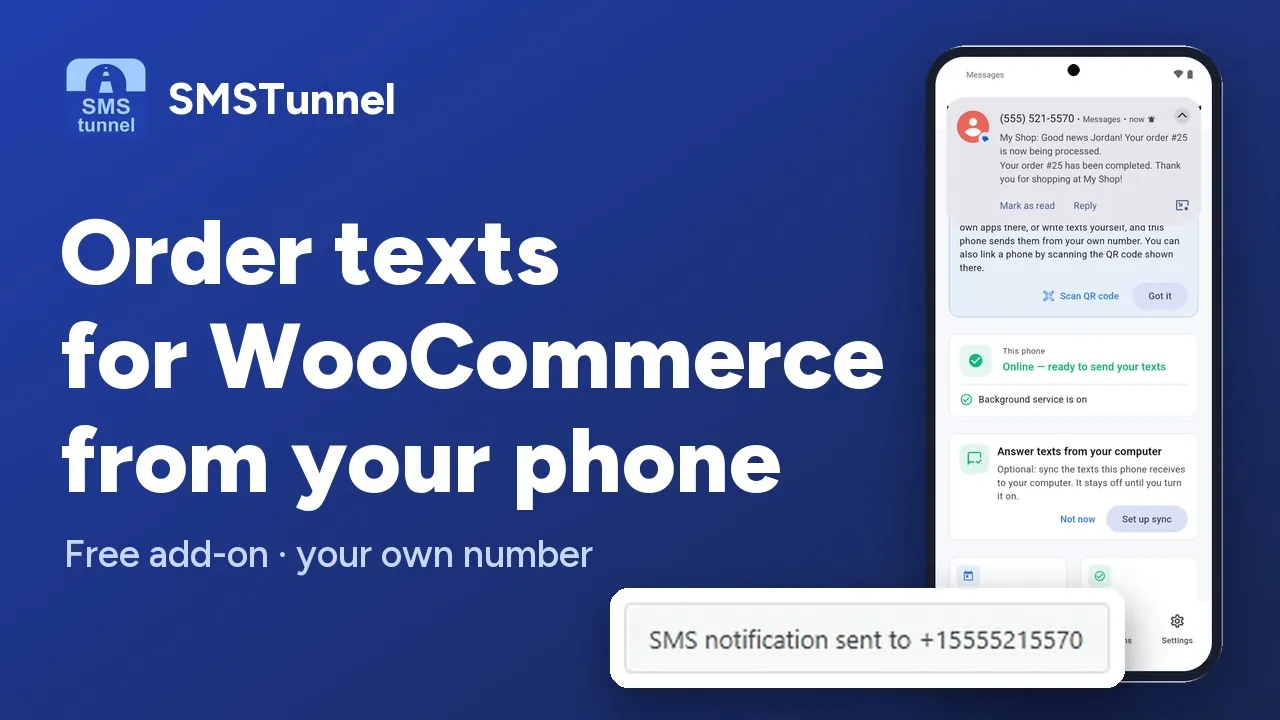 Play the video: WooCommerce SMS order notifications from your own phone (1:35)
Description
SMSTunnel for WooCommerce adds SMS notification capabilities to your WooCommerce store. Keep your customers informed as their order moves along, from processing to completed.
SMSTunnel hands your store's order texts to your own Android phone, which sends them from your number — so customers see a number they can reply to.
Features
- Order Status Texts - A text to the customer when an order becomes Pending payment, Processing, Completed, On Hold, Cancelled or Refunded, each with its own switch and message (Pending, Processing and Completed are on by default)
- Shipment Tracking - A text with the tracking number when you add one with the Advanced Shipment Tracking plugin (one text per number), or when another plugin fires the
woocommerce_shipment_tracking_number_addedaction - Admin Notifications - A text to your "Admin Phone Number" for new orders, and a "Low Stock Alert" when a product runs low or out of stock
- Custom Templates - Edit each message under "SMS Message Templates", with the placeholders below
- Send SMS from the Order Page - A "Send SMS" box on each order for a one-off text; status texts are added to the order notes
- Billing Phone Integration - Texts go to the order's billing phone (orders without one get none). The add-on doesn't check or complete the number, so ask for international format at checkout: + and the country code
- HPOS Compatible - Works with WooCommerce High-Performance Order Storage
- Login Codes - For sign-in codes on the My Account login, turn on "WordPress Login 2FA" in the core plugin (SMSTunnel → Settings)
When a customer places an order, with the Checkout block or the classic checkout, they get one text: "New Order (Pending)" if the order still waits for payment, for example while they pay on another site, otherwise the text for its status, such as "Order Processing" for cash on delivery. "Notify Admin on New Order" texts you once for every order placed at checkout, even if the customer gave no phone number. The texts follow the SMS tab from the start, before you ever save it.
Available Template Variables
{order_id} - Order number
{order_total} - Order total with currency
{order_status} - Current order status
{customer_name} - Customer full name
{customer_first_name} - Customer first name
{site_name} - Your site name
{tracking_number} - Tracking number (Tracking Message only)
{tracking_provider} - Tracking provider (Tracking Message only)
Example Messages
New Order Message (default):
"Hi {customer_first_name}, thank you for your order #{order_id} ({order_total}) at {site_name}. We'll process it soon!"
Completed Message (default):
"Your order #{order_id} has been completed. Thank you for shopping at {site_name}!"
Installation
- Install the SMSTunnel core plugin and link your phone: SMSTunnel → Quick Setup, then scan the QR code with the SMSTunnel app (Connections → Link with QR code) and approve on your phone
- In WordPress, go to Plugins → Add Plugin and search for SMSTunnel for WooCommerce
- Click Install Now, then Activate
- Go to WooCommerce → Settings → SMS to choose your texts and edit the messages
Requirements
- WordPress 5.0 or higher
- PHP 7.4 or higher
- WooCommerce 5.0 or higher
- SMSTunnel core plugin, linked to your phone
- The SMSTunnel app on your Android phone, from Google Play
Screenshots
Changelog
The current version and its full changelog are on the plugin's WordPress.org page.
Build it with an AI assistant
Copy this prompt into Claude, ChatGPT, Cursor or Copilot and replace the part in [brackets]. Don't paste your API key into the chat: the prompt doesn't need it.
Help me set up SMSTunnel texts for my WooCommerce orders.

About SMSTunnel (https://smstunnel.io): my own apps and tools hand text messages (SMS) to my SMSTunnel account, and my own Android phone sends them from my own number, on my own SIM and plan. The phone runs the SMSTunnel app from Google Play (https://play.google.com/store/apps/details?id=io.smstunnel.app), signed in to my account.

What I want: [describe what should send a text, to whom, and when]

How it works:
- Plugins: SMSTunnel (core), "SMSTunnel for WooCommerce" (https://wordpress.org/plugins/smstunnel-for-woocommerce/) and WooCommerce.
- The SMSTunnel core plugin (https://wordpress.org/plugins/smstunnel/) links the site to my phone: SMSTunnel → Quick Setup, then I scan the QR code with the SMSTunnel app (Connections → Link with QR code) and approve on the phone. An API key works too: SMSTunnel → Settings → "Connect with API Key".
- Settings: WooCommerce → Settings → tab "SMS". Texts to the customer's billing phone, each with its own switch and message: "New Order (Pending)", "Order Processing", "Order Completed", "Order On Hold", "Order Cancelled", "Order Refunded", "Shipment Tracking". To the shop: "Admin Phone Number" (one number), "Notify Admin on New Order", "Low Stock Alert" (low and out of stock, fixed text).
- The texts follow the SMS tab from the start: the ticked statuses and the default messages apply even if the tab was never saved. When a customer places an order (Checkout block or classic checkout), they get one text: "New Order (Pending)" if the order still waits for payment, for example while they pay on another site, otherwise the text for its status, such as "Order Processing" for cash on delivery. An order moved to Pending payment later gets "New Order (Pending)" once. "Notify Admin on New Order" texts the admin number once for every order placed at checkout, even when the customer's text is off or they gave no phone. "Shipment Tracking" goes out when a tracking number is added with the Advanced Shipment Tracking plugin (one text per number), or when another plugin fires the woocommerce_shipment_tracking_number_added action (order ID, tracking number, provider).
- Placeholders: {order_id} (the order number), {order_total}, {customer_name}, {customer_first_name}, {order_status}, {site_name}, and in the "Tracking Message" only {tracking_number} and {tracking_provider}.
- Billing phone numbers are passed on as customers typed them, and one without + and the country code can go to the wrong country, so checkout should ask for international format (+ and the country code). The order page has a "Send SMS" box, and texts sent on a status change are recorded in the order notes. If my phone is offline, the texts wait and go out when it is back.
- Sign-in codes for the My Account login come from the core plugin: SMSTunnel → Settings → "WordPress Login 2FA".
- For custom code, the core plugin has smstunnel_send_sms($phone, $message, $args = array()), with $args 'is_2fa' (sends through the sign-in code endpoint), 'order_id' and 'source'; it returns an array with 'success' and 'messageId', or 'error'. smstunnel_sanitize_recipient($phone) returns the number in international format, or '' when it is invalid or premium-rate.

Rules for your answer:
- Do not ask for my SMSTunnel password or API key and do not put a real key in your answer; I will not paste it in this chat.
- Phone numbers must be in international format (+ and the country code).
- Help me test it with my own number first.
- Only send texts people expect from me. No unsolicited texts.