Sign-in codes
SMS sign-in codes without Twilio: Supabase, Auth0, Clerk and Better Auth
Send the sign-in codes of Supabase, Auth0, Clerk and Better Auth from your own Android phone and number, with one small npm package and no SMS API account.
By NARBOWEB SRL, the team behind SMSTunnel Published 9 min read
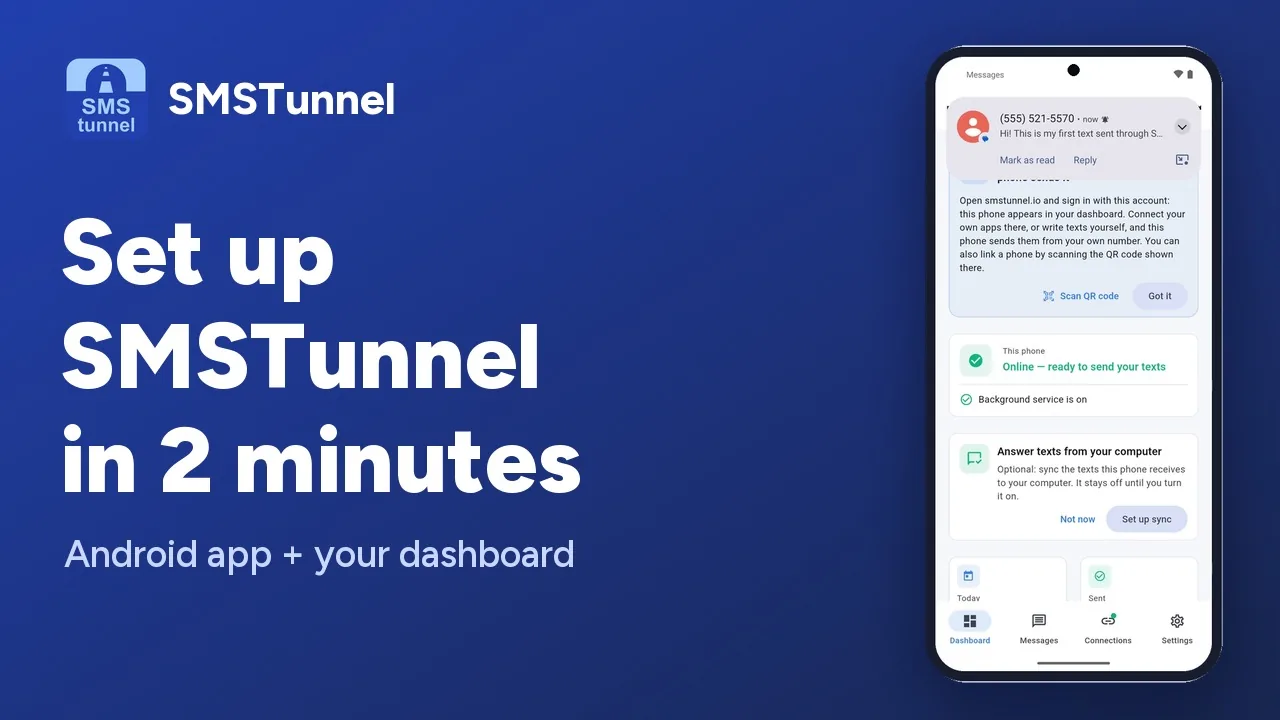 Play the video: Set up SMSTunnel on your Android phone in 2 minutes (1:34)
Phone sign-in codes are usually the first reason a project opens an account with an SMS API. You rent a number, register it where your country requires it, and pay for every text and every verification. For a product whose users mostly live in one country, there is a simpler route: send the codes from an Android phone you already have, on the plan you already pay for.
That is what SMSTunnel does. Your auth platform keeps creating and checking the codes exactly as it does today. A small package, @narcisbodea/smstunnel-otp, hands each code to your SMSTunnel account, and the SMSTunnel app on your phone sends it from its own SIM. People get their code from a number they know, and they can reply to it.
This guide covers the four platforms the package plugs into with a few lines of code (Supabase Auth, Auth0, Clerk and Better Auth), Ory, which needs no code at all, WordPress logins, and the limits you should know before you switch.
How it works
- A user asks for a code: they sign in with their phone number, add one, or confirm a second factor.
- Your auth platform creates the code and calls your hook, Action, webhook or function, the place where it would normally call its SMS provider.
- The package sends the text to SMSTunnel’s code endpoint,
POST /api/v1/sms/send-2fa, with your API key. - Your SMSTunnel account hands the text to your phone, and the phone sends it from your own number.
- The user types the code, and your auth platform checks it, as before.
SMSTunnel never checks codes. Unlike Twilio Verify, it doesn’t create or verify them: your platform does that, and SMSTunnel only delivers the text. Codes also have their own daily allowance, separate from your other texts, so a busy sign-in morning doesn’t eat into your order updates or reminders.
The package has no runtime dependencies (it uses Fetch and WebCrypto only), so it runs in Node 18+, Deno (Supabase Edge Functions), Bun, Cloudflare Workers and Auth0 Actions.
Before you start
- Install the SMSTunnel app from Google Play on your Android phone and sign in. Sign in to your dashboard with the same account: the phone appears under Phones.
- In the dashboard, open Apps → Add an app, pick Website or web app, name it and click Create the key. Copy the key right away, because it’s shown only once. Keep it in your platform’s secrets, never in code that runs in the browser.
- Keep your codes between 4 and 10 digits. The default 6-digit codes of all the platforms below are fine; codes with letters aren’t accepted.
Then install the package:
npm install @narcisbodea/smstunnel-otpSupabase Auth: the Send SMS hook
Instead of its built-in SMS provider, Supabase can call an HTTPS endpoint with the user’s number and the code. The package gives you that endpoint, including the Standard Webhooks signature check. Create supabase/functions/send-sms/index.ts:
import { createSupabaseSendSmsHook } from 'npm:@narcisbodea/smstunnel-otp@^1.0.0';

Deno.serve(
  createSupabaseSendSmsHook({
    apiKey: Deno.env.get('SMSTUNNEL_API_KEY')!,
    hookSecret: Deno.env.get('SEND_SMS_HOOK_SECRETS')!, // v1,whsec_...
    template: 'Your Acme code is {code}', // optional
  }),
);
Deploy it without JWT checks, because the signature protects it:
supabase functions deploy send-sms --no-verify-jwtIn the Supabase Dashboard, open Authentication → Hooks → Add a new hook → Send SMS hook, choose HTTPS, enter https://<project-ref>.supabase.co/functions/v1/send-sms, then Generate secret and Create. Store both secrets:
supabase secrets set SMSTUNNEL_API_KEY=... SEND_SMS_HOOK_SECRETS='v1,whsec_...'Finally, enable the provider under Authentication → Sign In / Providers → Phone. The SMS provider fields aren’t used while the hook is on. Keep phone auto-confirm off, or sign-ups never ask for a code.
The hook sends the code to the number Supabase gives it and adds the + that Supabase leaves out. If SMSTunnel is busy or out of reach, it answers 429 or 503 with retry-after, which Supabase retries within its five-second budget. The full walkthrough, with a config for local development, is on the Supabase Auth page.
Auth0: a Custom Phone Provider Action
Auth0 can hand its phone messages to an Action. The custom-phone-provider trigger is the one Auth0 recommends: a single provider for MFA, passwordless SMS and phone sign-up.
- Open Branding → Phone Provider → Custom and pick the delivery method Text.
- In the Action editor, add the dependency
@narcisbodea/smstunnel-otpand the secretSMSTUNNEL_API_KEY, then paste:
const { createAuth0CustomPhoneProvider } = require('@narcisbodea/smstunnel-otp');

const sendWithSmsTunnel = createAuth0CustomPhoneProvider();

exports.onExecuteCustomPhoneProvider = async (event, api) => {
  await sendWithSmsTunnel(event, api);
};- Save, then use Send Test Message. For MFA, also turn on Use Tenant-Level Messaging Provider under Security → Multi-factor Auth → Phone Message.
Codes go out with the text Auth0 rendered, in your template and the user’s language. Notices without a code, such as a blocked account or a breached password, are sent as regular texts, or ignored if you pass { nonCodeMessages: 'skip' }. SMSTunnel sends text messages only, so a voice delivery is dropped with a clear reason. If you only need MFA, the older Send Phone Message trigger works too; both are on the Auth0 page.
Clerk: the sms.created webhook
When you turn Delivered by Clerk off for an SMS template, Clerk stops sending that text and sends you an sms.created webhook instead. In Next.js, app/api/webhooks/clerk-sms/route.ts is all it takes:
import { createClerkSmsWebhook } from '@narcisbodea/smstunnel-otp';

export const POST = createClerkSmsWebhook({
  apiKey: process.env.SMSTUNNEL_API_KEY!,
  signingSecret: process.env.CLERK_SMS_WEBHOOK_SIGNING_SECRET!, // whsec_...
});- In the Clerk Dashboard, open Webhooks → Add Endpoint, enter your URL, subscribe to
sms.createdand copy the Signing Secret. - Under Customization → SMS, open each template you want sent from your phone (Verification code, Reset password code…) and turn Delivered by Clerk off. The setting is per template.
- Keep the route public in your Clerk middleware: webhooks carry no session.
The handler checks the Svix signature and sends the text Clerk rendered, making sure the code is in it. For Express and other frameworks, see the Clerk page.
Better Auth: the phoneNumber plugin
Better Auth’s phoneNumber plugin asks you how to send its codes, and smstunnelSendOTP() answers:
import { betterAuth } from 'better-auth';
import { phoneNumber } from 'better-auth/plugins';
import { smstunnelSendOTP } from '@narcisbodea/smstunnel-otp';

const apiKey = process.env.SMSTUNNEL_API_KEY!;

export const auth = betterAuth({
  plugins: [
    phoneNumber({
      sendOTP: smstunnelSendOTP({ apiKey, template: 'Your Acme code is {code}' }),
      sendPasswordResetOTP: smstunnelSendOTP({ apiKey, template: 'Your Acme password reset code is {code}' }),
    }),
  ],
});
Better Auth runs sendOTP in the background when it can, so sign-in doesn’t wait for the send. If people type local numbers, add a defaultCountryCode option, or check numbers with the plugin’s phoneNumberValidator. The other options are on the Better Auth page.
Ory, WordPress and everything else
Ory (self-hosted Kratos or Ory Network) needs no package: its courier HTTP channel calls SMSTunnel directly, with a few lines of configuration. See the Ory page.
WordPress sites get sign-in codes from the SMSTunnel plugin: SMSTunnel → Settings → Two-Factor Authentication (2FA), then WordPress Login 2FA. It also covers the WooCommerce My Account login, for the roles you choose, with codes valid for 5 minutes by default.
Any other platform can use sendCode() from the same package:
import { sendCode, SmsTunnelOtpError } from '@narcisbodea/smstunnel-otp';

await sendCode({
  apiKey: process.env.SMSTUNNEL_API_KEY!,
  to: '+14155550123',
  code: '123456',
  template: 'Your Acme code is {code}', // or message: 'full text'; the code is added if it is missing
  // deviceId, defaultCountryCode, serverUrl, timeoutMs (default 10000)
});
When something goes wrong, it throws a SmsTunnelOtpError with the HTTP status, a code such as RATE_LIMITED, and retryable: true for the errors worth retrying.
What counts as a code
The code endpoint refuses texts without a code, so your wording matters a little:
- A code is 4 to 10 digits standing on their own (
482913,Code: 1234,G-123456), or two groups of 3 digits joined by a dash (123-456). - Not a code: codes with letters, numbers of 11 digits or more, digits right after a
+(a phone number), and digits joined to others by.,,,:or/, such as prices, times and dates. - A text can be up to 320 characters. The package refuses a longer one before calling SMSTunnel.
A text without a code is refused with a 400. Messages that aren’t codes go through the regular send endpoint.
Limits, and when an SMS API is the better fit
Sending codes from a phone is not the same as renting a pipe from a carrier, and it’s worth knowing the difference before you switch:
- One number per text. Every code goes to one person.
- 30 sends a minute. Past that, SMSTunnel answers 429 and the package marks the error as retryable.
- Your phone has to be on and online. If it’s offline, the code waits and goes out as soon as the phone is back. A code that waits too long may expire before it arrives, so keep the phone charged and connected.
- Allowance. The Free plan includes 50 sign-in codes a day. From Starter at $9 a month, sign-in codes have no daily cap. Prices are before tax.
- Your carrier’s terms apply, because the texts go out over your own mobile plan.
For comparison, Twilio’s pages listed Twilio Verify at $0.05 per successful verification plus $0.0083 per text in the US when we checked in November 2026, and prices differ by country. Twilio, or another SMS API provider, still fits better if you need high volumes, short codes, sender names, US 10DLC numbers or many countries. You can also use both: see SMSTunnel vs Twilio and what texts cost from your own SIM.
Common questions
Do I have to change how my platform makes or checks codes?
No. Supabase, Auth0, Clerk, Better Auth and Ory keep creating, storing and checking the codes. Only the delivery changes.
Can I write the text myself?
Yes. Pass a template with {code} where the code goes. Without one, Auth0 and Clerk send the text they rendered from their own templates.
Can I send codes from more than one phone?
Every phone you link to your account can send. sendCode() and smstunnelSendOTP() take a deviceId to pick one, and the Auth0 Action reads it from the SMSTUNNEL_DEVICE_ID secret. Without one, your default phone sends.
Is the code logged anywhere?
Nothing in the package logs codes or keys. Each webhook handler also remembers recent webhook ids (per running instance), so a retried webhook doesn’t send the same code twice.
See also
More from the blog
Try it with your own phone
Install the Android app, sign in, and your own software can send its first text in a few minutes. The Free plan needs no credit card.
