Monitoring
Monitoring alerts by SMS from your own phone: Uptime Kuma, Grafana, Zabbix and GitHub Actions
Get Uptime Kuma, Grafana, Zabbix and GitHub Actions alerts as texts sent by your own Android phone, from your own number. No GSM modem, no SMS provider.
By NARBOWEB SRL, the team behind SMSTunnel Published Updated 9 min read
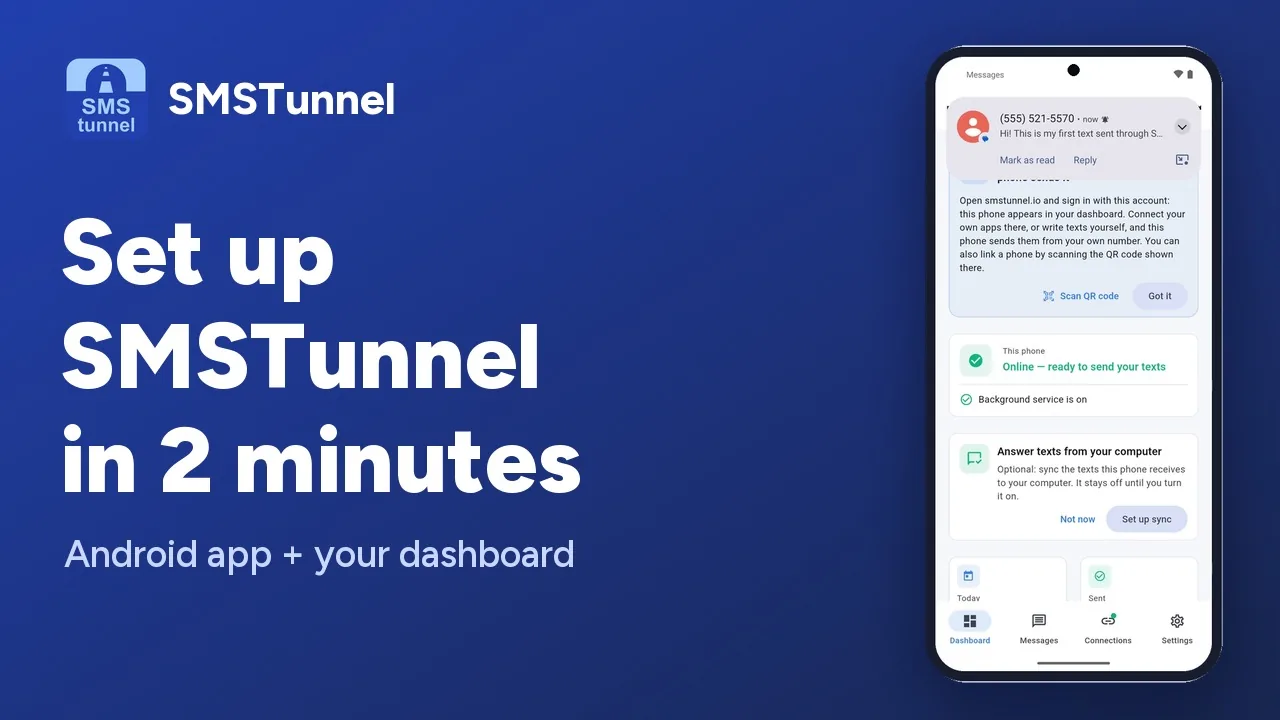 Play the video: Set up SMSTunnel on your Android phone in 2 minutes (1:34)
An alert only helps if it reaches someone. A text still gets through when an email or a push notification doesn’t, and it arrives from a number the on-call person knows and can call back.
With SMSTunnel, your monitoring tools hand each alert to your SMSTunnel account, and your own Android phone texts it from its own SIM. There is no GSM modem to plug into a server and no SMS provider in between: each alert is an ordinary text on your phone’s plan. This guide sets up four common tools, Uptime Kuma, Grafana, Zabbix and GitHub Actions, and a webhook address for everything else.
Before you start: one key per tool
Install the SMSTunnel app from Google Play on an Android phone and sign in; the video above takes you through it. Then, in your dashboard, open Apps → Add an app, pick Script or server, name it after the tool (for example “Uptime Kuma”) and click Create the key. Copy the key right away: it’s shown only once.
Give each tool its own app. If a key leaks from one tool’s settings, you delete that app and only that tool stops texting.
Under the hood, all four tools make the same call: a POST to the Send a Text endpoint with the key in an X-API-Key header and one number per request:
curl -X POST https://smstunnel.io/api/v1/sms/send \
  -H "X-API-Key: sk_live_..." \
  -H "Content-Type: application/json" \
  -d '{"to": "+14155550123", "message": "web-01 is down"}'
Numbers go in international format, with + and the country code. For two people, you make two requests: everyone gets their own text.
Uptime Kuma: the built-in Webhook notification
Uptime Kuma needs no plugin. Open Settings → Notifications → Set Up Notification, choose the Webhook type, give it a name like “SMS to me”, and fill in:
- Post URL:
https://smstunnel.io/api/v1/sms/send, with HTTP Method POST if your version shows the field; - Request Body: Custom Body, with your number in
to; - Additional Headers: turned on, with your key.
{"to": "+14155550123", "message": {{ msg | json }}}{"Content-Type": "application/json", "X-API-Key": "sk_live_..."}Keep {{ msg | json }} exactly as it is: it puts Uptime Kuma’s alert in the text, with the quotes JSON needs. Click Test and your phone texts <Friendly Name> Testing; a wrong key shows a 401 “Invalid or expired API key”. Click Save, then tick the notification in each monitor’s Notifications list, or use Default enabled and Apply on all existing monitors. For several people, add one Webhook notification per number.
The texts look like this:
[My shop] [🔴 Down] timeout of 48000ms exceeded
[My shop] [✅ Up] 200 - OK
A monitor that keeps flapping sends a text every time, so set Retries so that a short blip isn’t reported as down.
No key in Uptime Kuma at all? A webhook address works too: in your dashboard, open Apps → Webhooks → New webhook and pick Uptime Kuma, which sets the webhook’s text to {{msg}}. Then make the address the notification’s Post URL, with Request Body on Preset - application/json and no headers; one notification texts all the webhook’s numbers, up to 10. The Uptime Kuma guide has both ways.
Grafana: a webhook contact point
On Grafana 12 or newer, open Alerts & IRM → Alerting → Notification configuration → Contact points, click + Add contact point and choose the Webhook integration. Set the URL to https://smstunnel.io/api/v1/sms/send. Under Optional Webhook settings, choose HTTP Method POST and add an Extra Headers entry named X-API-Key with your key as the value. Then paste this into Custom Payload → Payload Template:
{{ coll.Dict
  "to" "+14155550123"
  "message" (printf "%s %s" (tmpl.Exec "default.title" .) (index .Alerts 0).Annotations.summary)
  | data.ToJSON }}
coll.Dict … | data.ToJSON writes the JSON for you, so quotes and colons in an alert can’t break it. Leave the Authorization and Basic Authentication fields empty, click Test, then Save contact point, and pick it in an alert rule or in Notification policies. A text reads like [FIRING:1] DiskFull nas1 Disk 95% full: /volume1, and again with [RESOLVED] when the alert clears.
Two things worth knowing. A firing alert texts again at every repeat interval, 4 hours by default, and once more when it resolves unless you tick Disable resolved message. And Grafana doesn’t mask Extra Headers: anyone who can edit the contact point can read the key, which is one more reason to give Grafana its own app.
Easier still, on any Grafana version and on Grafana Cloud: put a webhook address in the contact point’s URL and leave everything else as it is, with no key and no payload template (see the webhook section below). SMSTunnel reads Grafana’s own alert JSON and texts [FIRING] DiskFull - Disk 95% full: /volume1 to the webhook’s numbers.
Zabbix: a media type instead of a GSM modem
Zabbix’s built-in SMS needs a GSM modem on a serial port of the server. The SMSTunnel media type needs only HTTPS, so it works the same on bare metal, in a VM, in Docker or in the cloud, for Zabbix 6.0 LTS, 7.0 LTS and later. Zabbix 6.0 has some of the menus elsewhere; they’re in brackets.
- Download media_smstunnel.yaml, or media_smstunnel_6.0.yaml for Zabbix 6.0, and import it in Alerts → Media types → Import (6.0: Administration → Media types → Import).
- In Administration → Macros (6.0: Administration → General → Macros), add
{$SMSTUNNEL.API.KEY}with your key and set its type to Secret text, so it’s hidden in the frontend and left out of exports. - Click Test in the SMSTunnel row and put your own number in
send_to. The Test window doesn’t fill in macros, so paste the key intoapi_keyfor that test only. - Give each user their own number: in Users → Users (6.0: Administration → Users), open the user, then Media → Add, type SMSTunnel, with the number in Send to in international format.
- In Alerts → Actions → Trigger actions (6.0: Configuration → Actions → Trigger actions), add an operation that sends to users or user groups, with Send only to: SMSTunnel.
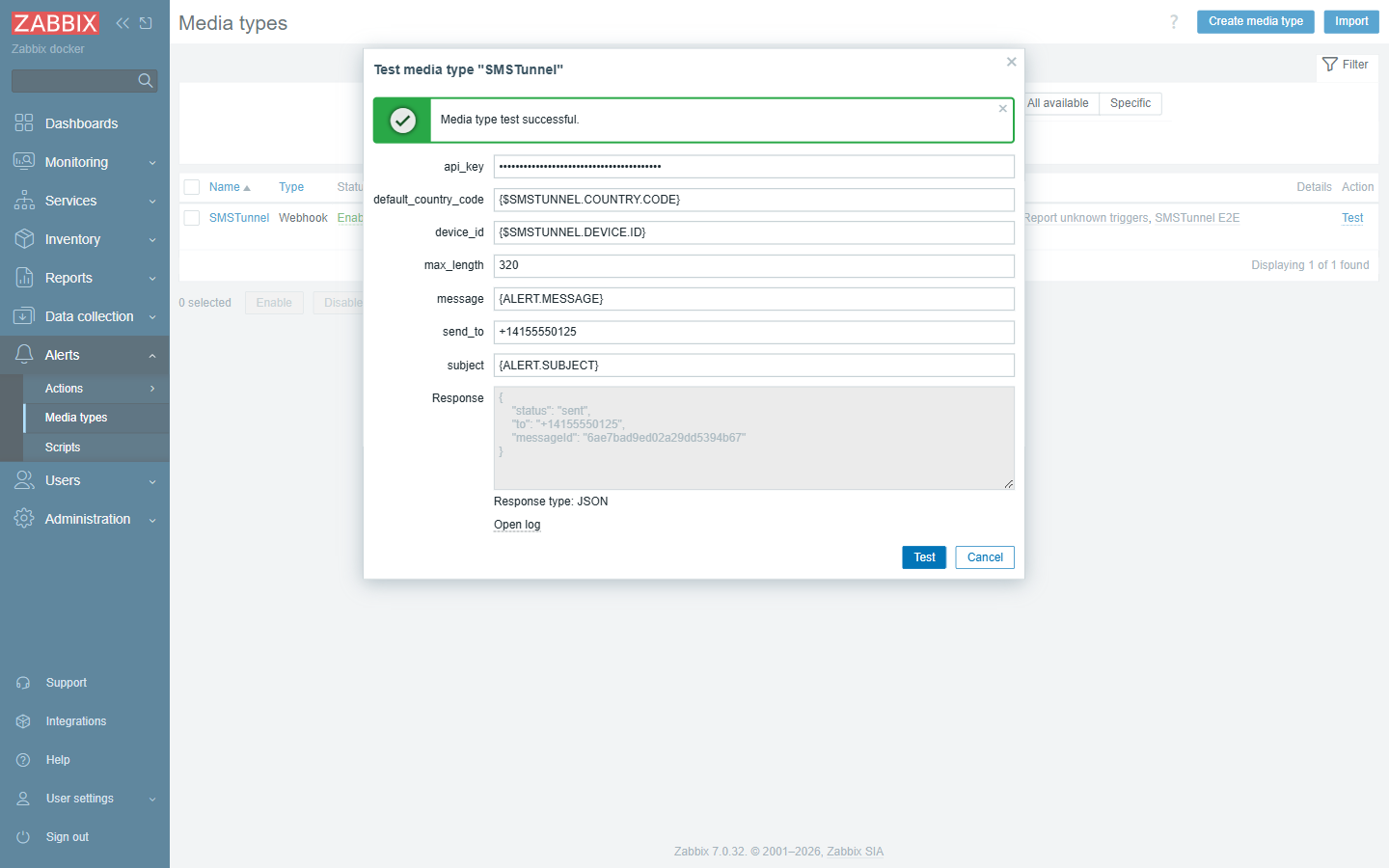
The media type brings message templates written to be read on a phone, and cuts texts at 320 characters:
PROBLEM: High CPU utilization (over 90% for 5m)
Host: web-01
Severity: High
Data: Current utilization: 97.3 %
Started: 2026.11.01 10:00:00
ID: 123456
A busy moment or a short outage is retried for about two minutes (5 attempts, 30 seconds apart). Only the Zabbix server sends alerts, not a Zabbix proxy, so it’s the one that needs to reach smstunnel.io on port 443.
GitHub Actions: a text when a deployment fails
Save the key as the repository secret SMSTUNNEL_API_KEY (Settings → Secrets and variables → Actions). In a public repository, save your number as a secret too, such as ALERT_PHONE, because workflow files and logs are public. Then add a step that runs only when the job fails:
- name: Text me if it failed
  if: failure()
  uses: narcisbodea/smstunnel-action@v1
  with:
    api-key: ${{ secrets.SMSTUNNEL_API_KEY }}
    to: ${{ secrets.ALERT_PHONE }}
    message: "Deploy of ${{ github.repository }} failed at ${{ github.sha }}: ${{ github.server_url }}/${{ github.repository }}/actions/runs/${{ github.run_id }}"
Several numbers in to, separated by commas or new lines, get one text each (at most 30). GitHub gives no secrets to workflows that run for pull requests from forks or for Dependabot, so skip the step there, and don’t switch to pull_request_target to get around it. If a failed text shouldn’t fail your deployment, add continue-on-error: true. The GitHub Actions guide has release and nightly-job examples.
Everything else: a webhook address
Some tools can’t set a header or their own JSON body. For them, SMSTunnel has webhooks: a secret address that texts the numbers you saved with it (1 to 10, one text each). The call sets only the words, never the number, so it needs no key, and a leaked address can’t text anyone new.
You make one in your dashboard: open Apps → Webhooks → New webhook, pick the tool that will call it (Grafana, Uptime Kuma, Healthchecks, Gatus, Alertmanager, Odoo Online, or Something else), add your numbers, click Create the webhook and copy the address. The dashboard then shows that tool’s steps with the address already in them, and Send a test. You can copy the address again anytime, and New address replaces it if it ever leaks.
A GET with ?message= or a POST with a message field both work; texts are cut at 480 characters. Each webhook takes 20 calls an hour unless you raise it (up to 500), and the limit counts calls, not texts: each call texts every number of the webhook. Prometheus Alertmanager and Grafana alerts are read without any template; for Uptime Kuma, picking it sets the text to {{msg}}, so the monitor’s name doesn’t show twice. A crontab line, for example:
0 3 * * * /opt/backup.sh || curl -s -X POST https://smstunnel.io/api/v1/webhook/<token> -H 'Content-Type: application/json' -d '{"message":"Nightly backup FAILED"}'Scripts can make webhooks with the API too; the webhooks guide shows how. There are ready guides for Prometheus Alertmanager, Healthchecks.io, Gatus and Odoo Online, and, with a key, for Proxmox and Synology.
Limits worth knowing
- 30 send requests a minute. Beyond that SMSTunnel answers 429, and each tool logs it or retries. Group your alerts so a storm becomes one text.
- Length. A text can be up to 1600 characters. An emoji makes an SMS hold 70 characters instead of 160, and Uptime Kuma puts one in each alert, so a longer alert goes out as several joined parts.
- The phone must be on and online. If it isn’t, the text waits in your account and goes out when the phone is back, for up to 3 days. If an alert must never depend on one phone being on and online, an SMS API provider fits that alert better.
- Plans. The Free plan covers 25 texts a day and 500 a month as written, plus up to 25 more a day ending with a short “free by smstunnel.io” line. Starter ($9 a month, before tax) allows 300 a day, Standard ($19) 2,000, and Professional ($39) has no daily cap.
Common questions
Do I need a GSM modem or an SMS provider?
No. The texts leave your own phone, on the plan you already pay for, from a number people recognize.
Can several people get the same alert?
Yes, one text each: one Uptime Kuma notification, Grafana integration or Zabbix media per number, up to 30 numbers in the GitHub Action’s to, or one webhook address with up to 10 numbers.
Where should the key live?
Where only admins can read it: Zabbix’s Secret text macro, a GitHub repository secret, the notification settings of Uptime Kuma or Grafana. Deleting the tool’s app in your dashboard cuts it off at once.
See also
More from the blog
Try it with your own phone
Install the Android app, sign in, and your own software can send its first text in a few minutes. The Free plan needs no credit card.
